
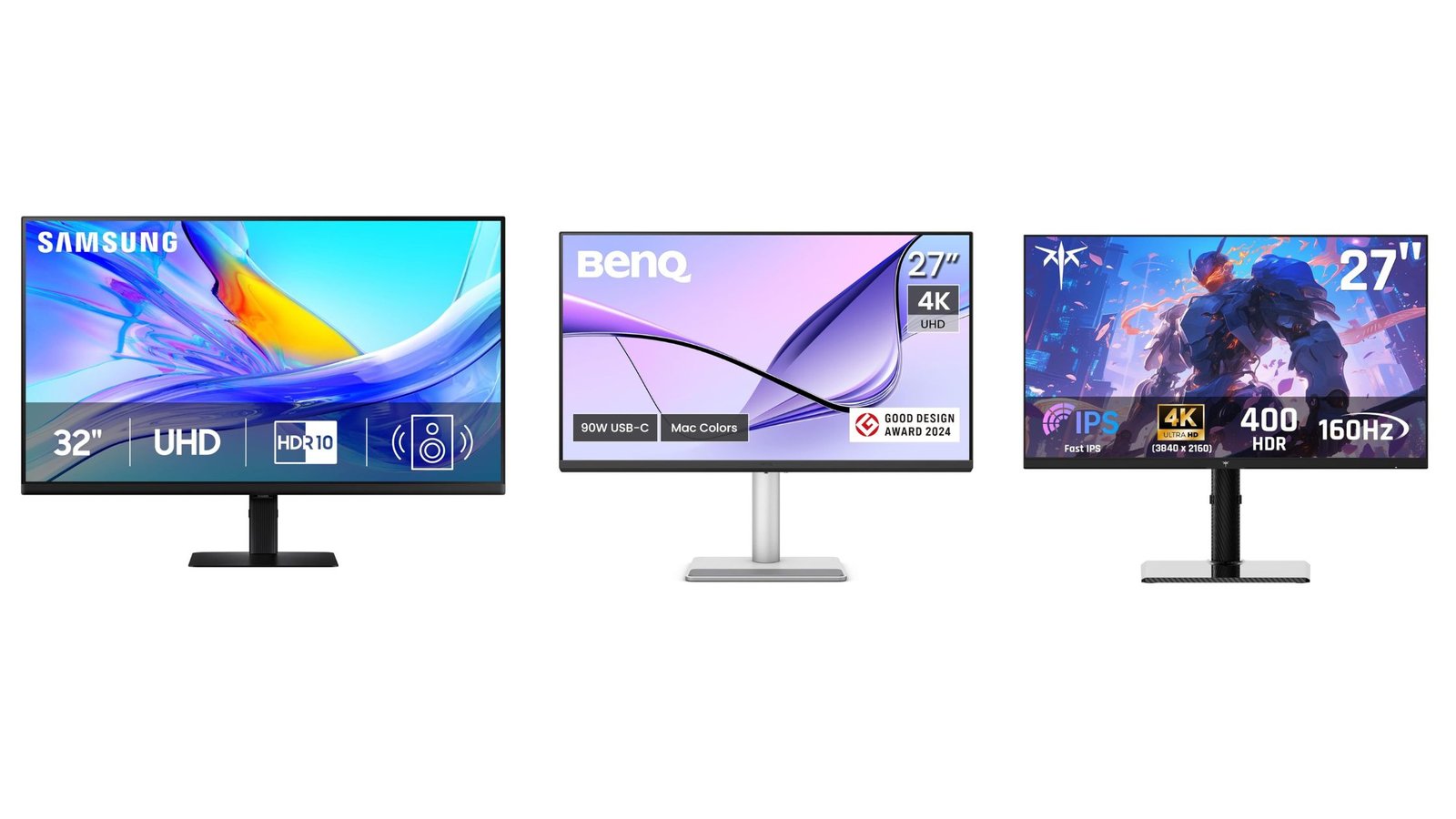
If you’re searching for the best 3 monitors in 2025, you’ve probably noticed how many options flood the market—from professional 4K displays to fast gaming panels. To make your choice easier, we compared three top-rated models: the Samsung ViewFinity S8, the KTC Gaming monitor, and the BenQ MA270U. In this review, we’ll break down their strengths, weaknesses, and real value so you can decide which monitor is the right fit for your needs.
The Contenders
| Monitor | Main Use / Strengths |
|---|---|
| Samsung ViewFinity S8 (32-inch, 4K) | Great for creators, productivity, and color work with strong ergonomic features and USB-C power delivery. |
| KTC Gaming Monitor | Designed for fast gaming: high refresh, low response time, often good features for competitive play. |
| BenQ MA270U (27-inch 4K) | Excellent for Mac users and creative professionals—color accuracy, “Mac-friendly” features, ergonomic stand. |
Specs & Features Overview
Here are key specs and features for each (based on reviews / vendor information).
| Feature | Samsung ViewFinity S8 | KTC Gaming Monitor | BenQ MA270U |
|---|---|---|---|
| Resolution & Panel Type | 4K UHD, IPS panel. | Varies by model; many KTC gaming monitors are 1080p or 1440p, often with fast panel types (IPS or fast VA). | 27-inch 4K (3840×2160), IPS. |
| Refresh Rate / Response Time | 60 Hz, standard response time for work / content creation. | Much higher refresh rate (e.g. 144 Hz / 240 Hz), very low response time. Ideal for gaming. | 60 Hz, around 5 ms response time. |
| Color Accuracy & Gamut | Good color reproduction, HDR10 support, crisp text/graphics. | Gaming-oriented color; typically high contrast, but may not be as accurate or calibrated out of the box. | Very strong; excellent sRGB and P3 reproduction, good calibration features, “MacBook-matching” modes. |
| Ergonomics / Connectivity / Build | Height-adjustable stand, USB-C with power delivery (≈ 90W), multiple ports incl. stunning ergonomic design. | Often basic stands; some models have ergonomic features but typically oriented toward gaming setups where speed matters more than office polish. | Very good stand with tilt, height, swivel, pivot. Matte / anti-glare options. USB-C ports, good hub features. |
What Users Say — Advantages & Weaknesses
Here are some real user / review highlights, plus what people dislike:
Samsung ViewFinity S8
👍 Pros:
Crisp text & graphics, great for productivity and design.
Very good ergonomics, USB-C port with power delivery (≈ 90W) so can power laptops through one cable.
Built-in hub and connectivity; acts well as a docking station.
👎 Cons:
Only 60Hz, so not ideal for fast-paced gaming.
Some users report brightness being less than expected when connected via USB-C / on certain systems.

KTC Gaming Monitor (depending on the model)
👍 Pros:
High refresh rates (144-240Hz etc.), very good for gaming.
Strong panel performance (especially in HDR gaming modes) with vibrant colors and fast response.
👎 Cons:
Build/ergonomic finish sometimes less premium. Stands may be simpler.
HDR may not be full fidelity: peak brightness and local dimming often limited.
Customer support / warranty for smaller brands may be less robust.

BenQ MA270U
👍 Pros:
Excellent color accuracy (sRGB, Display P3), very suitable for Mac users.
Strong set of ports (USB-C with good power, HDMI, etc.), good ergonomic stand.
Matte or nano-matte finishes reduce glare; good eye care features.
👎 Cons:
60Hz refresh rate means less ideal for gaming.
Brightness peaks are good but not extremely high; HDR capability is modest.
Some variability in uniformity / backlight leakage noticed by users.

Which Monitor Is Best For What Use Case
Here’s who should pick which based on priorities:
| Your Priority | Best Choice |
|---|---|
| Content creation, design, accurate color, clean work setup | BenQ MA270U or Samsung ViewFinity S8 |
| Mixed laptop / MacBook use, want USB-C, power delivery, good ports | Samsung ViewFinity S8 |
| High refresh rate gaming and fast responsiveness | KTC Gaming Monitor |
| Working under bright lighting / needing glare control | BenQ MA270U (matte panel) |
| Moderate budget with good value | KTC or BenQ, depending on deals |
Verdict
If I were you, here’s how I’d decide:
For a clean, productive setup especially if you use a laptop or MacBook, the Samsung ViewFinity S8 gives a lot of value with its ergonomic stand and hub-like connectivity.
If color accuracy, matching MacBook display, and eye comfort matter more (like design / photo work), the BenQ MA270U likely offers the best bang for value.
If gaming is a top priority — high frame rates, low lag — the KTC gaming monitor is compelling, just be careful about the trade-offs (glare control, HDR, warranty).