
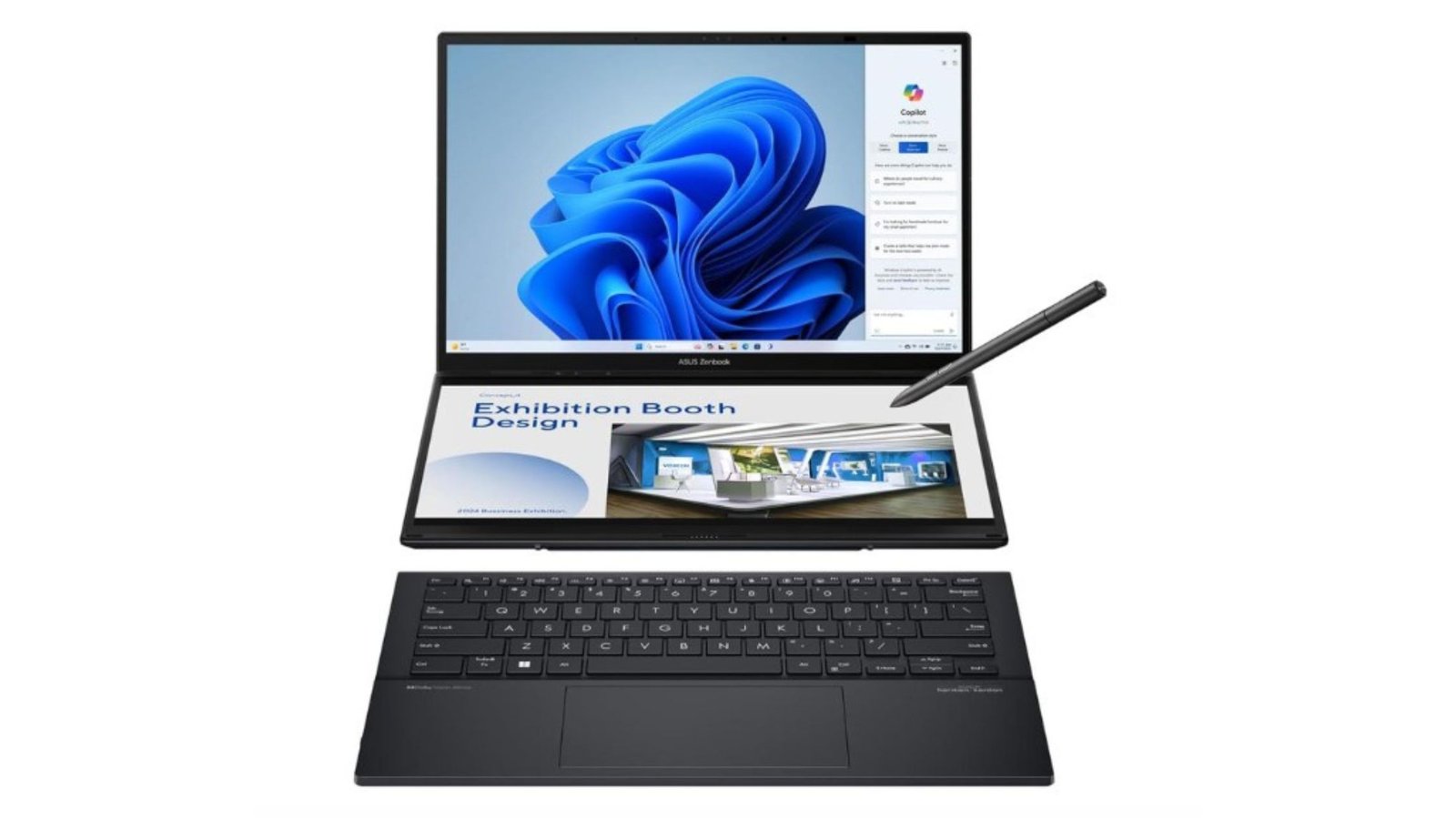
When your workflow involves constant switching between apps, creative tools, and multitasking (think video editing + browser + chat + design apps), a single screen sometimes feels limiting. The ASUS Zenbook Duo OLED UX8406CA aims to solve that: two full-size OLED touch displays, strong internals, and features built for creators and productivity power users.
In this ASUS Zenbook Duo OLED review, we explore the UX8406CA’s dual-screen setup, creative performance, and multitasking capabilities to see if it’s the ultimate laptop for content creators.
Performance & Multitasking on the ASUS Zenbook Duo OLED
Here are the standout spec highlights for the Zenbook Duo OLED UX8406CA:
Dual 14-inch 3K (2880×1800) OLED displays — the main screen plus a second screen (the “Duo” screen) to expand your workspace.
Both displays are 120 Hz refresh rate, with very fast response times (≈ 0.2 ms) and full DCI-P3 color gamut.
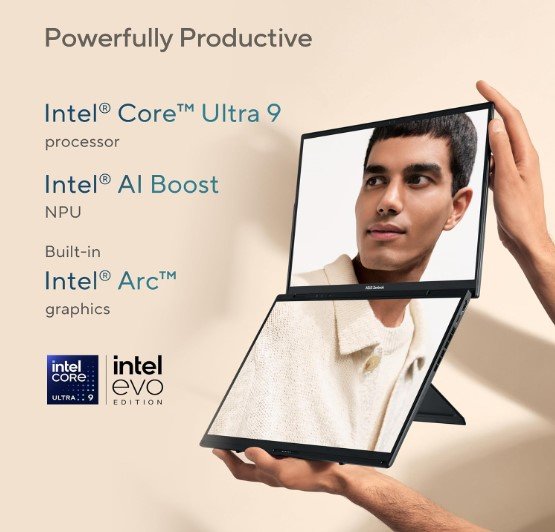
CPU: Intel Core Ultra 9 285H paired with Intel Arc Graphics 140T, which gives a strong performance for multitasking and light creative tasks.
RAM & Storage: 32 GB LPDDR5X memory + 1 TB PCIe 4.0 SSD. Enough for professional work and storing large files.
Portability: Good for what it is. Dual-screen laptops tend to be heavier than typical ultrabooks. Zenbook Duo’s build is solid, with a keyboard/design that users say feels premium.
What Users & Reviewers Love
Here are recurring positives from reviews and hands-on feedback:
Screen real estate & multitasking: Many users love having the second screen (“ScreenPad Plus” or the Duo screen) for secondary tasks — chat windows, references, timelines — freeing up the main screen. Multitasking speeds up nicely.
Display quality: OLED panels, excellent color accuracy, deep contrast, vividness in content. Creatives in particular note how good the colors and HDR performance are.
Build & keyboard/hinge design: The hinge and dual-screen engineering get praise. The keyboard feels stable, the build feels good quality. Users report the secondary screen is well aligned and useful.
Strong performance: The Ultra 9 / 285H combined with Arc 140T gives good power for content creation, productivity, editing, even some lighter gaming.
What Some Users See as Trade-Offs
Here are some of the drawbacks or compromises users mention:
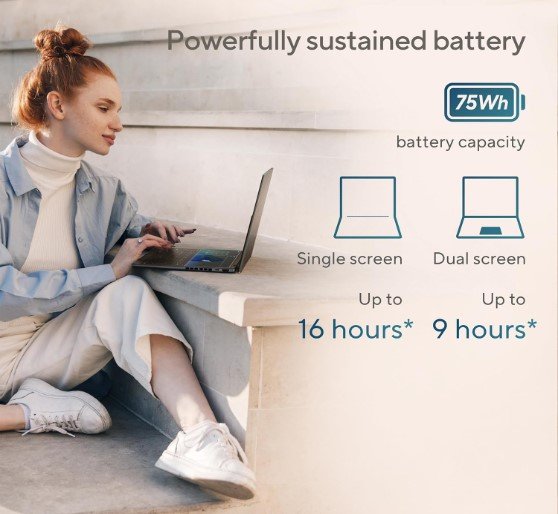
Battery life: Dual screens + OLEDs + high refresh rate = higher power draw. Users say battery life is decent, but not exceptional when using both screens heavily.
Weight / Portability: It’s more portable than larger workstations, but heavier and thicker than single display ultrabooks. If you travel often, this might be a noticeable burden.
Price: Premium materials, dual displays, high-end internals mean a price tag that reflects all of this. For users who don’t need dual screens, the extra cost might not be justified.
Heat / Cooling under load: In creative workloads (video editing, long rendering), it can get warm; fans kick in. If you’re pushing both screens and high CPU/GPU load, expect some thermal management challenges.
Who Should (or Shouldn’t) Pick This Laptop
Here are suggestions on whether this is a good match for your scenario:
| Great If You… | Maybe Go for Something Else If… |
|---|---|
| • You are a creator who works with many apps open simultaneously (video editor + browser + reference windows etc.). • You value screen quality, color accuracy, vivid HDR, and want OLED. • You don’t mind an elevated price for premium features and are okay carrying a bit more weight. • You often travel or work in different places and can benefit from dual displays. | • You need maximum battery life and ultra-light portability. • You want simplicity and lowest possible cost. • Your work doesn’t require dual-screen multitasking often; you may get more value from a single-display ultrabook with higher battery or lighter weight. • Thermal noise or heat concerns bother you when doing long edit/render sessions. |
Verdict
The ASUS Zenbook Duo OLED UX8406CA is one of the most compelling dual-screen laptops in 2025. For people who really use multiple workflows, creative tools, references, side-by-side tasks, and want high color fidelity, it’s definitely worth the premium.
If I were making the decision, I’d buy this if I often juggle tools (edit, chat, browser, design) and want OLED quality — but I’d also make sure I have good charging/capacity backups and accept that battery life won’t match a basic ultrabook.